Free PC-Based Software to Record Audio and Video Files

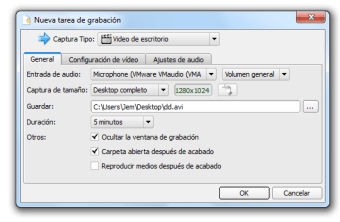
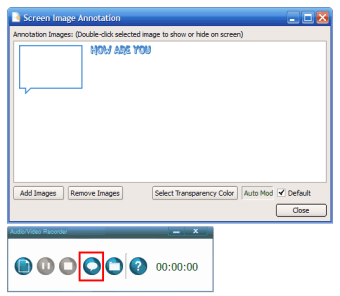
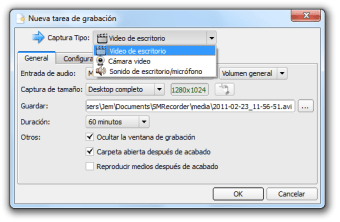
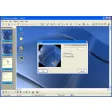
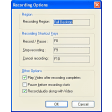
SMRecorder allows users to record audio and video snippets directly via their personal computer. Thee files can then be shared with others or stored until a later date. Videos may be recorded into an MP4 or an AVI format (ideal for compression purposes). Annotations are supported during the recording process and the user can access advanced editing options with the click of a button.


  • Pros

    • This audio and video recorder is free to use.
    • There are two different video outputs to choose from.
  • Cons

    • Additional media codecs are not supported.
    • Advanced editing tools are not offered within this basic software package.
 0/5

App specs

Program available in other languages


User reviews about SMRecorder

3.9

6 reviews

Add review

Main reviews for you

  • Anonymous user

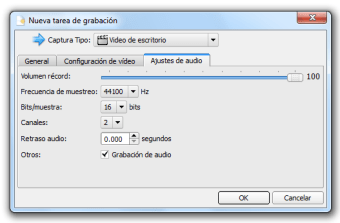
    A reliable recorder. It record good quality video. It can automatically inspect the hardware of the computer and provides audio inputs accordingly. A good quality of video can be recorded by the defualt setting.

  • Anonymous user

    Very good!. Record good quality video and audio. It has timer that can record the video by time shedule. It also has different audio input options according to the computer sound card.

  • Anonymous user

    A reliable recorder. can record screenshot, video and DVD. with very handy facility like add annotation. The quality of the video is quite good and it provides several options to adjust audio input and video quality.

  • Anonymous user

    Excellent. free but very professional software. Good record quality.light weight, can be installed on my laptop and desktop, Very easy use. I like it

  • Anonymous user

    Fabulous. very nice software. I will give it 10 points, but it seems the website does not allow me to do so.The software record what I need with good quality. The software is very light weight, easy use

  • Anonymous user

    Excellent screen recorder. very useful free, quick recording, high video quality; smooth recording process, audio never lag or exceed video

More

You may also like

Alternatives to SMRecorder

Explore Apps

Latest articles

Laws concerning the use of this software vary from country to country. We do not encourage or condone the use of this program if it is in violation of these laws.
Softonic

Is SMRecorder safe?

Score result: Clean

This file passed a comprehensive security scan using VirusTotal technology. It is safe to download.

  • Virus free
  • Spyware free
  • Malware free
  • Verified by Security Partners

    VirusTotal logo

Scan Info

Last scan
Wednesday, December 2, 2020
Scan provider
VirusTotal

Softonic security commitment

SMRecorder has been thoroughly scanned by our advanced security systems and verified by industry-leading partners. This file comes from the official developer and has passed all our security checks, showing no signs of viruses, malware, or spyware. For more information, visit our Security and Trust Center